
Quick Answer: Funny WiFi names are creative SSIDs that blend puns, pop culture references, and witty wordplay to make your network stand out. Top picks include “Pretty Fly for a WiFi,” “FBI Surveillance Van,” “It Hurts When IP,” “LAN Before Time,” and “Tell My WiFi Love Her.” These names spark conversations, deter neighbors, and add personality to your home network.
Introduction
You’ve just set up your new router. The lights are blinking, the internet is flowing, and you’re ready to connect all your devices. Then you see it—that default name staring at you: “Netgear123” or “Linksys_5G.” It’s boring, forgettable, and looks exactly like every other network in your apartment building.
But here’s the thing: you don’t have to settle for that. Your WiFi network name, technically called an SSID, is a small canvas for humor, personality, and sometimes a bit of friendly neighborhood banter . It’s what people see when they scan for networks, and it’s often the first impression they get of your digital persona.
Whether you want to make your guests laugh, troll your neighbors, or show off your nerdy side, a funny WiFi name is a simple way to inject some personality into your home. The best part? It takes about two minutes to change and costs absolutely nothing . This guide covers everything from the funniest categories to practical tips for choosing and setting up your perfect SSID.
Why Your WiFi Name Matters
More Than Just a Label
Your WiFi name, or SSID (Service Set Identifier), is what you look for when connecting new devices to your WiFi . While it might seem trivial, it’s actually a reflection of your personality. A clever name can make guests laugh when they ask for the password or spark a conversation with neighbors who spot it in their network list.
The Social Aspect
People love creative WiFi names. A Reddit thread asking “What is the best Wi-Fi name you have seen in your entire life?” generated thousands of responses, showing just how much people enjoy this small act of creativity . When someone sees “Tell My WiFi Love Her” or “It Hurts When IP” on their phone, it almost always brings a smile.
Deterring Neighbors
While your primary goal might be humor, a funny name can also serve a practical purpose. Names like “FBI Surveillance Van” or “Virus Detected” might discourage neighbors from trying to piggyback on your network . Of course, a strong password is still your best defense, but a clever name adds an extra layer of deterrence.
Categories of Hilarious WiFi Names
Pun-tastic Tech Names
Puns are the bread and butter of funny WiFi names. These clever wordplays combine tech terms with everyday phrases for maximum laughs.
Pun NameThe JokePretty Fly for a WiFiOffspring song reference + WiFi It Hurts When IP”It hurts when I pee” + IP address Wi-Fight ClubFight Club movie + WiFi The LAN Before TimeLand Before Time movie + LAN Router? I Hardly Know Her!”Router” sounds like “roger that” joke Wi Believe I Can FiR. Kelly song + WiFi Wi-Fight the InevitablePlay on “fight the inevitable” LAN SoloStar Wars Han Solo + LAN Silence of the LANsSilence of the Lambs + LAN Lord of the PingsLord of the Rings + ping Bill Wi the Science Fi”Bill Nye the Science Guy” + WiFi New England Clam RouterNew England clam chowder + router Not the WiFi You’re Looking ForStar Wars Jedi mind trick The Promised LANBiblical reference + LAN Hopping on the Bandwidth”Hop on the bandwagon” + bandwidth
Sarcastic and Attitude-Filled Names
These names give a little attitude and might make neighbors think twice about asking for your password.
Sarcastic NameWhy It WorksFBI Surveillance VanClassic—makes neighbors wonder Get Off My LANDirect and grumpy Click Here for VirusesA warning that’s also a joke Stop Being a MoochFor the freeloaders It’s Not YoursBlunt but effective Not Free WiFiIf they can read, they know Password is GullibleA trap for the curious Very Slow WiFiNo one will want to connect Unregistered Hypercam 2Old internet meme My Password is 1234Obvious joke
Nerdy and Pop Culture Names
If you’re a proud nerd who loves Star Wars, Harry Potter, or Game of Thrones, these names are for you.
Pop Culture NameReferenceHouse LANisterGame of Thrones Winternet is ComingGame of Thrones + internet A LANister Never ForgetsGame of Thrones Hogwarts Common RoomHarry Potter Yer a WiFi, HarryHarry Potter Darth RouterStar Wars The ForceStar Wars Live Long and RouterStar Trek Friendly Neighborhood Spider-LANSpider-Man Dunder Mifflin PaperlessThe Office Wakanda ForeverBlack Panther The ShireLord of the Rings The Fellowship of the WiFiLord of the Rings
Names to Mess with Neighbors
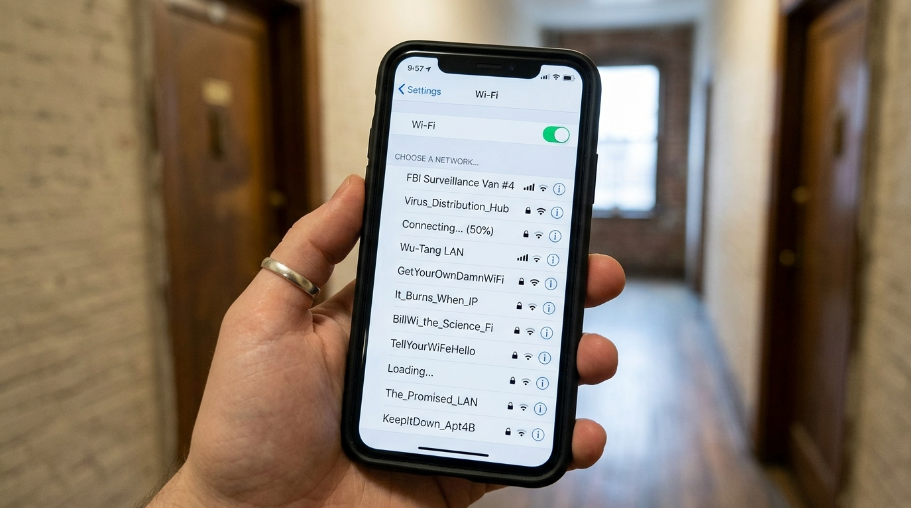
These names are designed to make people laugh, confuse them, or make them wonder what’s going on in your house.
Neighbor-Trolling NameWhy It’s FunnyTell My WiFi Love HerSounds like “Tell my wife I love her” Rebellious Amish FamilyThe ultimate contradiction Hot Signals in Your AreaSounds like a dating ad We Can Hear You Having SexGuaranteed to make neighbors uncomfortable Connected to the Neighbor’sSomeone’s a freeloader It’s a Small World WiFiDisney reference + WiFi We’ve Been Trying to Reach YouCar warranty joke I’m Under Your BedCreepy and hilarious NotDEAMethStingOperationLooks official and scary NotGuiltyA lawyer’s WiFi Cancer BeamRidiculous and alarming Yell Penis for PasswordA social experiment
How to Change Your WiFi Name
Step-by-Step Instructions
Changing your WiFi name is surprisingly easy and takes just a few minutes.
- Log into your router’s admin page by typing its IP address into your browser. Common addresses include 192.168.1.1 or 10.0.0.1. You can usually find the address on a label on the back or bottom of your router .
- Enter your admin username and password. If you haven’t changed these, they’re often “admin” for both, or “admin” with “password.” Check your router’s label or manual if you’re unsure.
- Look for wireless settings. Different routers call this different things. Look for “WiFi Settings,” “Wireless,” or “SSID” settings.
- Type in your new network name. This is the SSID (Service Set Identifier) .
- Save your changes. Your router will usually reboot, and your new name will appear in network lists.
Important: Your devices will need to reconnect using the new name and your password. This is also a great way to kick out freeloaders who might still have your old password .
Compatibility Considerations
Before you choose a name, consider a few technical limitations:
- Special characters and emojis might not work on older router models. Newer routers from brands like ASUS or TP-Link tend to support more characters, but older ones like Linksys WRT54G are pickier .
- Your router brand matters. Netgear, ASUS, and TP-Link all allow you to customize the SSID in the wireless settings .
- If you get stuck, just Google your router model plus “change SSID” for specific instructions .
Common Mistakes to Avoid
Sharing Personal Information
Never use your real name, apartment number, or address in your WiFi name. It’s an unnecessary security risk and makes it easier for someone to target you specifically. “123 Main Street WiFi” is a terrible idea .
Being Offensive or Crude
While names like “Penis for Password” might be funny in theory, they can also get you reported or cause discomfort. Keep it clever, not crude .
Making It Too Long
Short, punchy names are more memorable and easier to spot in a crowded network list. “Pretty Fly for a WiFi” works. “The Most Hilarious WiFi Network Name You Have Ever Seen” does not.
Ignoring Security
Your WiFi name might be funny, but your password should be dead serious. Use WPA2 or WPA3 encryption and a strong password with a mix of uppercase, lowercase, numbers, and symbols . Don’t let a funny name fool you into skimping on cybersecurity .
Not Testing It
Say your new name out loud. Does it sound right? Does it have the intended effect? Testing it helps avoid awkward misunderstandings.
Expert Tips for the Perfect WiFi Name
Know Your Audience
The name that cracks up your college friends might not work in a family-friendly apartment building. Consider who else will see it—neighbors, guests, maybe even your kids.
Change It Up Occasionally
There’s no rule that says you have to keep the same name forever. Some people change their WiFi name every few months to keep things fresh and confuse neighbors . It’s a two-minute job that always makes for a good conversation starter at parties.
Use a Theme
If you have multiple networks (2.4GHz, 5GHz, guest), consider a themed naming system. For example, Marvel fans might use “StarkIndustries” and “ShieldHQ” . Star Wars fans could go with “JediNet” and “SithHotspot.”
Keep It Short and Sweet
The best SSIDs are short, sweet, and to the point, ensuring everyone gets the joke at first glance . Long names might get truncated on some devices.
Get Inspired by Your Surroundings
One Redditor’s neighbor, who was a lawyer, named their WiFi “Not Guilty” . Another person near a police station named theirs “University Campus PD SECURE” and created fake folders labeled “arrest records” . Contextual humor is often the best kind.
Comparison Table: Best WiFi Name Categories
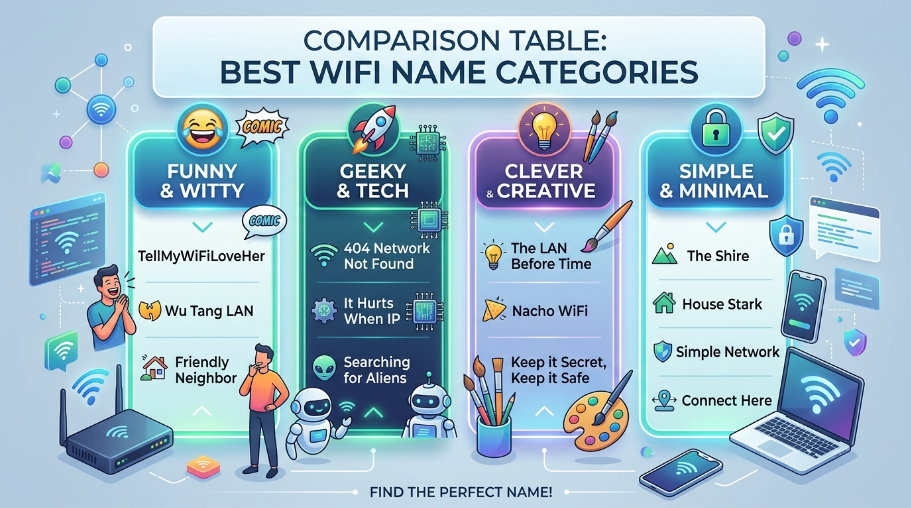
CategoryBest ForExamplesImpactTech PunsClever wordplay loversPretty Fly for a WiFi, It Hurts When IPHigh laugh factorPop CultureFans of movies/TVHouse LANister, The Force, Dunder MifflinInstant recognitionSarcasticTrolling neighborsFBI Surveillance Van, Get Off My LANDeters freeloadersCheeky HumorMaking people smileTell My WiFi Love Her, Hot Signals in Your AreaGreat conversation startersNerdy ReferencesHardcore geeksLAN Solo, Lord of the Pings, Darth RouterShows your interestsPractical JokesConfusing peopleVirus Detected, 404 Network UnavailableFun for a short time
People Also Ask About Funny WiFi Names
What is the funniest WiFi name ever?
The funniest WiFi names are subjective, but “Pretty Fly for a WiFi” consistently ranks at the top of many lists . Other strong contenders include “It Hurts When IP,” “FBI Surveillance Van,” and “Tell My WiFi Love Her” .
What should I name my WiFi to be funny?
Mix a pun with a pop culture reference. Examples include “The LAN Before Time,” “Bill Wi the Science Fi,” “Wi-Fight Club,” and “Router? I Hardly Know Her!” .
Can I use emojis in my WiFi name?
It depends on your router. Newer routers from brands like ASUS and TP-Link usually support emojis, but older models like Linksys WRT54G might not display them properly .
How do I change my WiFi name?
Log into your router’s admin page (usually at 192.168.1.1 or 10.0.0.1), find the wireless settings, and type in your new SSID. Save your changes and your router will reboot .
What are some clever WiFi names?
Clever names use wordplay and tech terms. Top choices include “Pretty Fly for a WiFi,” “It Hurts When IP,” “The Promised LAN,” “LAN Solo,” and “Silence of the LANs” .
What are the best WiFi names for neighbors?
To troll your neighbors, try “FBI Surveillance Van,” “We Can Hear You Having Sex,” “Rebellious Amish Family,” or “Tell My WiFi Love Her” .
What WiFi names should you avoid?
Avoid names that share personal information (like your address or real name) or are offensive . Also, avoid names that are too long or use special characters that your router might not support.
Can a funny WiFi name improve my security?
A funny name can deter casual freeloaders, but it doesn’t replace a strong password. Use WPA2 or WPA3 encryption and a secure password for real protection .
Are there WiFi names based on popular TV shows?
Yes! Many people use “House LANister” (Game of Thrones), “Dunder Mifflin” (The Office), “The Force” (Star Wars), and “Hogwarts Common Room” (Harry Potter) for their networks .
What are WiFi names that mess with people?
To mess with people, use names like “Connecting…”, “Searching for Networks,” “Virus Detected,” or “Not the WiFi You’re Looking For” to confuse them .
Conclusion
Your WiFi name is a tiny but powerful way to express your personality. Whether you choose a pun like “Pretty Fly for a WiFi,” a pop culture reference like “House LANister,” or a neighbor-trolling masterpiece like “FBI Surveillance Van,” the right name adds humor and character to your home network.
Remember the basics: keep it short, avoid personal information, and never sacrifice security for a laugh. Your password should be strong, even if your SSID is silly .
So next time you’re setting up a router or just feeling like a change, take a moment to pick something clever. You’ll make people smile, maybe even laugh out loud, and your network will be memorable for all the right reasons.
Ready to change your WiFi name? Pick a category, choose a name, and log into your router to make it happen. Your neighbors will thank you—or at least wonder about you .
Have a funny WiFi name we missed? Share it in the comments below!
